
The Complete CAD Missions Curriculum
All 9 levels. 90 missions. A portfolio of real engineering projects, and a path to professional CAD certification.
Built for serious learners who want the full curriculum, every mission, every level, every project from foundational sketches to advanced assemblies.
Get The Complete Curriculum $599Lifetime access · 14-day satisfaction guarantee · No subscription
What's Included
- All 90 missions across 9 progressive levels
- Video walkthroughs for every mission and recap project
- 9 recap projects that integrate each level's skills into portfolio pieces
- Onshape integration, professional CAD, free for personal use
- Path to Onshape Certification, real, transferable credential
- Lifetime access, one-time purchase, no subscription
- 14-day satisfaction guarantee
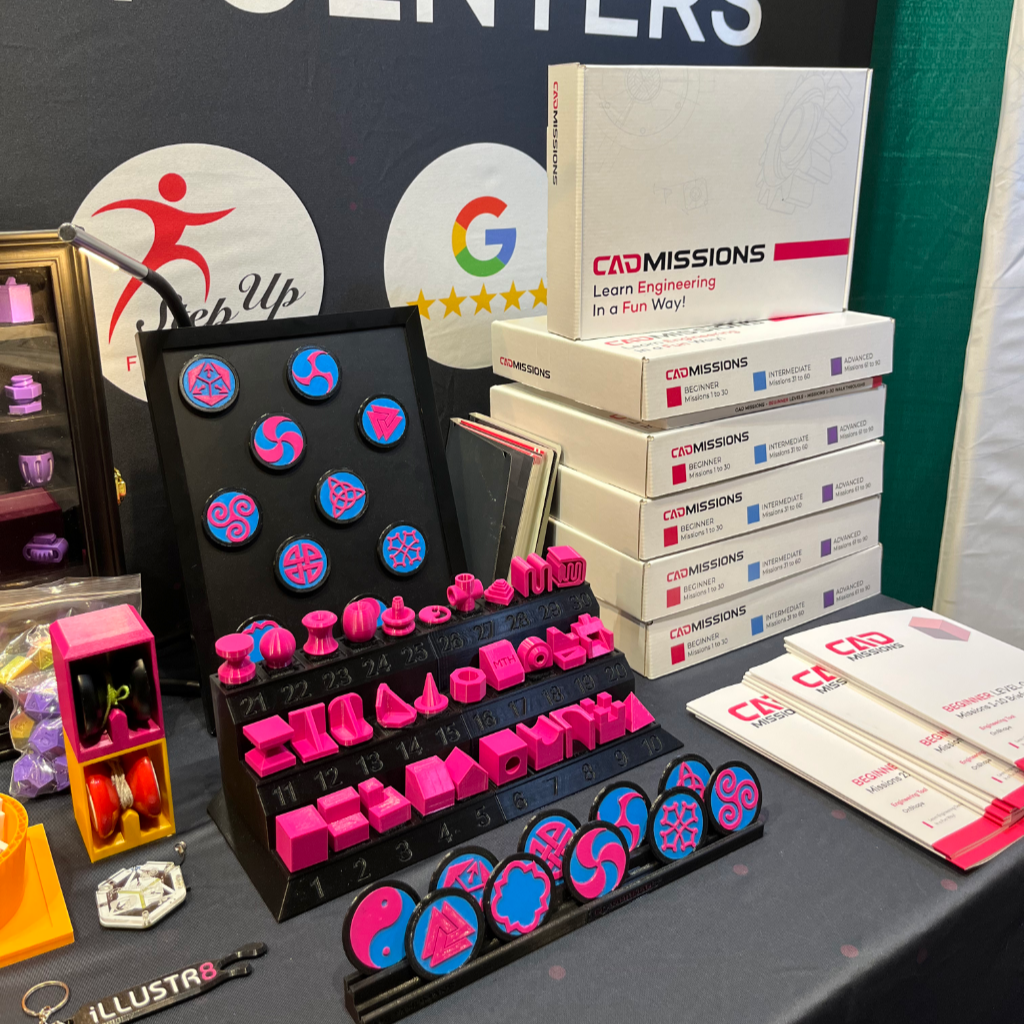

How It Works
CAD Missions provides the instructional structure. Onshape provides the design environment.
Step 1: Work through missions
Each level contains 10 short CAD missions (typically 10-30 minutes each). Each one teaches a specific skill or technique in Onshape, sketching, parametric design, assemblies, advanced features, and more.
Step 2: Complete the recap project
Each level ends with a recap project that integrates everything from that level into a single, finished design. These projects are the portfolio pieces. Skip them and you skip the portfolio, which is the entire point.
Step 3: Build the portfolio
By the end of Level 9, you have 9 completed recap projects plus 90 mission files, a real body of CAD work that shows progression from beginner to advanced. Documented, saved, and shareable.
Read the syllabus to see exactly what’s included at each level.
Why the Complete Curriculum
The Starter Set covers Levels 1-3, sketching, basic features, and an introduction to revolves, sweeps, and lofts. Enough to learn whether CAD is for you and produce three real projects: a phone dock, a whistle, and a piggy bank.
Levels 4-9 are where CAD Missions becomes a real CAD education:
- Level 4, Advanced sweeps and lofts. Compound paths, splines, multiple profiles, thicken and enclose. Project: Modular Headband.
- Level 5, Pattern tools. Path, circular, and linear patterns; dovetails; lattices; box and lid joints. Project: Connect Meta 4, a working multi-part board game.
- Level 6, Mechanisms. Locks, hinges, sliders, snap fits, gears, and double helical gears. Project: Cryptex, a multi-part combination-locked device with five dials.
- Level 7, Multi-part assemblies that fit together. Snap fits, ball-and-socket joints, chains, joysticks, nuts and bolts. Project: Hypno-Spinner, a multi-part rotating fidget with gears and enclosure.
- Level 8, Complex curves. 3D hearts, knotted sweeps, twist locks, carved bowls, icosahedrons, jewelry. Project: Puzzle Bunny, a multi-part 3D puzzle.
- Level 9, Integration and capstone. Combine everything learned, plus advanced techniques like the 3D fit spline. Project: Capstone, the student's own portfolio-ready design with documentation and a presentation summary.
Save $208 compared to buying levels separately, and get a curriculum that goes the distance.
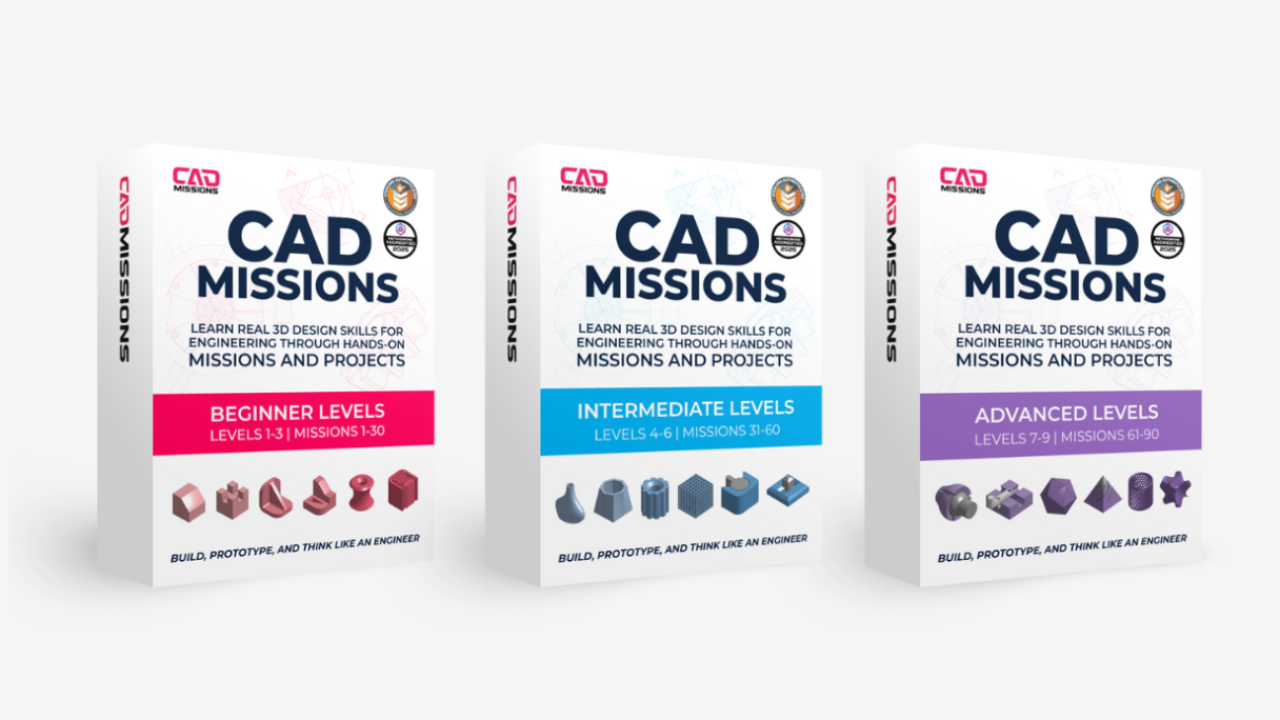
CAD Missions Full Curriculum
Includes 14-day satisfaction guarantee.
$599.00 USD
Is This the Right Path for You?
This is a good fit if you:
- Want a complete curriculum, not random tutorials
- Learn best by doing, not watching
- Want tangible proof of skill, actual project files, not certificates
- Plan to continue into engineering, design, manufacturing, or makerspace work
- Are preparing for the Onshape Associate certification
This is NOT a good fit if you:
- Are just exploring whether CAD is for you (try the Free Preview or Starter Set instead)
- Only want short software tips with no progression
- Don't plan to complete the recap projects (the projects are the point, without them, the curriculum is wasted)
- Are looking for a classroom-managed experience for a co-op or group (see the Educator License instead)
A Real Credential
Onshape is professional CAD software used by engineers at companies including Tesla and SpaceX. Their official Associate certification is recognized by engineering programs, makerspaces, and employers, verifiable proof a student can use professional CAD software to design real things.
The Complete CAD Missions Curriculum gives students more than enough foundation in sketching and 3D modeling to pass the Associate exam. A few additional hours of focused review on assemblies, file management, and mate connectors, topics not covered in depth by the missions, completes the preparation.
Our founder took the Onshape Associate exam after a single afternoon of focused review on top of the curriculum.
This isn't a "course completion certificate." It's an industry credential from the software vendor itself.
Starter Set or Complete Curriculum?
| Starter Set $249 |
Complete Curriculum Recommended |
|
|---|---|---|
| Levels | Levels 1-3 | All 9 levels |
| Missions | 30 Missions | 90 Missions |
| Recap projects | 3 | 8 + Capstone |
| Skills covered | Sketching, basic parts, simple assemblies | Foundations through advanced assemblies, mechanisms, and manufacturing-ready design |
| Certification Preparation | — | ✔ Onshape Associate |
| Lifetime access | ✔ | ✔ |
| Upgrade Later | Credit towards Complete | — |
Start with Levels 1-3 if you're testing the waters. Most serious students upgrade to the Complete Curriculum within a few months, and the $269 you paid is credited toward the upgrade.
FAQ's
Do learners need prior CAD experience?
How long does the Complete Curriculum take?
What's the difference between the Starter Set and the Complete Curriculum?
Can I upgrade from Starter to Complete later?
Will this prepare me for the Onshape certification?
What software do I need?
Is this self-paced or instructor-led?
What's the satisfaction guarantee?
Ready to Build a Real CAD Portfolio?
The Complete Curriculum is a one-time purchase with lifetime access. Start today, finish at your own pace, and walk away with 90 missions and 9 recap projects you can actually show.
Get the Complete Curriculum $599