CAD Missions Syllabus
9 Levels • Each level includes 10 missions + 1 recap project.
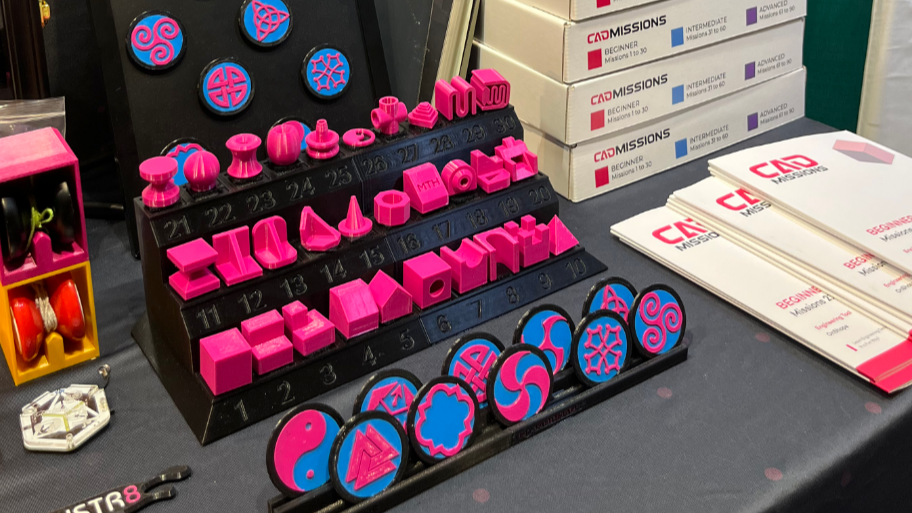
Mission-based CAD progression designed to build real 3D design skills through short challenges and recap projects. Use this page to see exactly what students/learners build at every level.
Who this is for
- Independent learners building CAD skills and a portfolio (Professional Track)
- Educators / STEM programs running facilitated CAD time (Educator License)
- Parents / homeschool who want a clear scope before enrolling
How it works
- Missions (10–20 min): one skill at a time
- Recap Project (30–180+ min): combines skills into a finished build
- Level advancement (Professional Track): projects mark real progress
- What is CAD?
Syllabus
Jump to: Level 1 · Level 2 · Level 3 · Level 4 · Level 5 · Level 6 · Level 7 · Level 8 · Level 9
Level 1
10 Missions
1 Project
Core navigation, sketch basics, and first solid features.
Level 1
Missions
- Mission 1 — Interface & Navigation | Cube10–20 min
- Mission 2 — Step Block | Extrude Cut Feature10–20 min
- Mission 3 — Tiered Block | Add Extrude10–20 min
- Mission 4 — Bevel Block | Line Tool10–20 min
- Mission 5 — Double Bevel Block | Two Extrusions10–20 min
- Mission 6 — Hole Block | Circle Tool10–20 min
- Mission 7 — Cove Block | 3-Point Arc Tool10–20 min
- Mission 8 — Deep Cove Block | Multiple Sketch Tools10–20 min
- Mission 9 — Castle Block | Multiple Surface Extrusions10–20 min
- Mission 10 — Pyramid | Consecutive Sketches & Extrusions10–20 min
Recap Project
Combine key skills from this level into one finished model and export a printable STL.
Level 2
10 Missions
1 Project
More constraints, sketch tools, and clean design intent.
Level 2
Missions
- Mission 11 — Pinched Block | Mirror Tool10–20 min
- Mission 12 — Rib Block | Mirror Feature10–20 min
- Mission 13 — Fillet Rib Block | Various Fillets10–20 min
- Mission 14 — Chamfer Rib Block | Various Chamfers10–20 min
- Mission 15 — Draft Cone Block | Draft & Shell Features10–20 min
- Mission 16 — Polygon Shell | Polygon Sketch Tool10–20 min
- Mission 17 — Lettering | Angle Dimensions & Lettering10–20 min
- Mission 18 — Tapered Ring Block | Multiple Features10–20 min
- Mission 19 — Sloped Hollow Block | Undefined Angles10–20 min
- Mission 20 — Throne Block | Schematics & Minimal Instructions10–20 min
Recap Project
Use advanced sketch tools to build a clean, editable model and export for 3D printing.
Level 3
10 Missions1 ProjectRevolve, sweep, loft, shell, and feature planning.
Level 3
Missions
- Mission 21 — Hourglass Cylinder | Revolve Feature10–20 min
- Mission 22 — Sphere Block | Up-to-next Extrusion10–20 min
- Mission 23 — Offset Revolve Block | Offset Axis10–20 min
- Mission 24 — Doughnut Ellipse | Ellipse Sketch Tool10–20 min
- Mission 25 — Axial Pulley | Parallel Constraints10–20 min
- Mission 26 — Pendant Block | Custom Wave Design10–20 min
- Mission 27 — Four-Way Pipe | Shell on Multiple Surfaces10–20 min
- Mission 28 — Heart Stack | Transform & Boolean Tools10–20 min
- Mission 29 — Sweep Block | Constraints-Only10–20 min
- Mission 30 — Spring Button | Sketch Offset & Trim Tools10–20 min
Recap Project
Build a shaped part using revolve/sweep/loft and publish a print-ready file.
Level 4
10 Missions1 ProjectMulti-part modeling, mates, motion, and fit.
Level 4
Missions
- Mission 31 — Letter Sweep | Sweep Tool10–20 min
- Mission 32 — Sweep Rib Block | Intersection Sketch10–20 min
- Mission 33 — Archway Block | Compound Sweep Path10–20 min
- Mission 34 — Three-Way Pipe | Multiple Sweeps10–20 min
- Mission 35 — Point Loft Pyramid | Loft Feature10–20 min
- Mission 36 — Polygon Loft | Offset Plane10–20 min
- Mission 37 — Loft Rib Block | Loft Perpendicular Surfaces10–20 min
- Mission 38 — Loft Arc | Path & Multiple Profiles10–20 min
- Mission 39 — Bottle | Spline Tool Loft10–20 min
- Mission 40 — Enclosed Cone | Enclose & Thicken Features10–20 min
Recap Project
Build a headband with modular attachments using planes, loft, fillet, mirror and thicken.
Level 5
10 Missions1 ProjectPatterns tools and features.
Level 5
Missions
- Mission 41 — Path Pattern10–20 min
- Mission 42 — Cog Cylinder10–20 min
- Mission 43 — Geneva Wheel10–20 min
- Mission 44 — Spire Cone10–20 min
- Mission 45 — Dome Cluster Block10–20 min
- Mission 46 — Lattice Cube10–20 min
- Mission 47 — Ratchet Cube10–20 min
- Mission 48 — Shelf Cube10–20 min
- Mission 49 — Dovetail Block10–20 min
- Mission 50 — Box & Lid Cube10–20 min
Recap Project
Design a functional multi-part board game. Get ready, it's divided into 3 sub-projects!
Level 6
10 Missions1 Project
Level 6
Missions
- Mission 51 — Drop Lock10–20 min
- Mission 52 — Rotation Switch10–20 min
- Mission 53 — Hex Grid Block10–20 min
- Mission 54 — Snug Pin Block10–20 min
- Mission 55 — Clip Fasten Block10–20 min
- Mission 56 — Slider Block10–20 min
- Mission 57 — Hinge Block10–20 min
- Mission 58 — Sealed Box Cube10–20 min
- Mission 59 — Gear Block10–20 min
- Mission 60 — Double Helical Gear10–20 min
Recap Project
Design a multi-part combination-locked device with 5 dials that can hide a small message.
Level 7
10 Missions1 ProjectMultiple parts that fit together.
Level 7
Missions
- Mission 61 — Cylinder Wrap10–20 min
- Mission 62 — Snap Fit10–20 min
- Mission 63 — Ball & Socket10–20 min
- Mission 64 — Chain Block10–20 min
- Mission 65 — Hex Drawer10–20 min
- Mission 66 — Orbit Rings10–20 min
- Mission 67 — + Revolution10–20 min
- Mission 68 — Spiral Block10–20 min
- Mission 69 — Joystick10–20 min
- Mission 70 — Nut & Bolt10–20 min
Recap Project
Build a multi-part rotating fidget with gears and enclosure.
Level 8
10 Missions1 ProjectComplex curve features.
Level 8
Missions
- Mission 71 — 3D heart10–20 min
- Mission 72 — Knotted Sweep10–20 min
- Mission 73 — Twist Link10–20 min
- Mission 74 — Twist Lock10–20 min
- Mission 75 — Carved Bowl10–20 min
- Mission 76 — Icosahedron10–20 min
- Mission 77 — Jewel Ring10–20 min
- Mission 78 — Pyramid Twist10–20 min
- Mission 79 — Scissor10–20 min
- Mission 80 — Thumbnut10–20 min
Recap Project
Based on an old wooden puzzle toy, create a multi-part bunny-shaped 3D puzzle.
Level 9
10 Missions1 ProjectCombine the tools you've already worked with and practice with new ones like the 3D fit spline.
Level 9
Missions
- Mission 81 — Hex Grid Basket10–20 min
- Mission 82 — Twist Post10–20 min
- Mission 83 — Click Roller10–20 min
- Mission 84 — Hinge Cube10–20 min
- Mission 85 — Polygon Spiral10–20 min
- Mission 86 — Spiral Slider10–20 min
- Mission 87 — Vase Pattern10–20 min
- Mission 88 — Vortex Coupler10–20 min
- Mission 89 — Infinity Block10–20 min
- Mission 90 — Turbulent Cuboid10–20 min
Final Project
Deliver your own portfolio-ready design + documentation + short presentation summary.
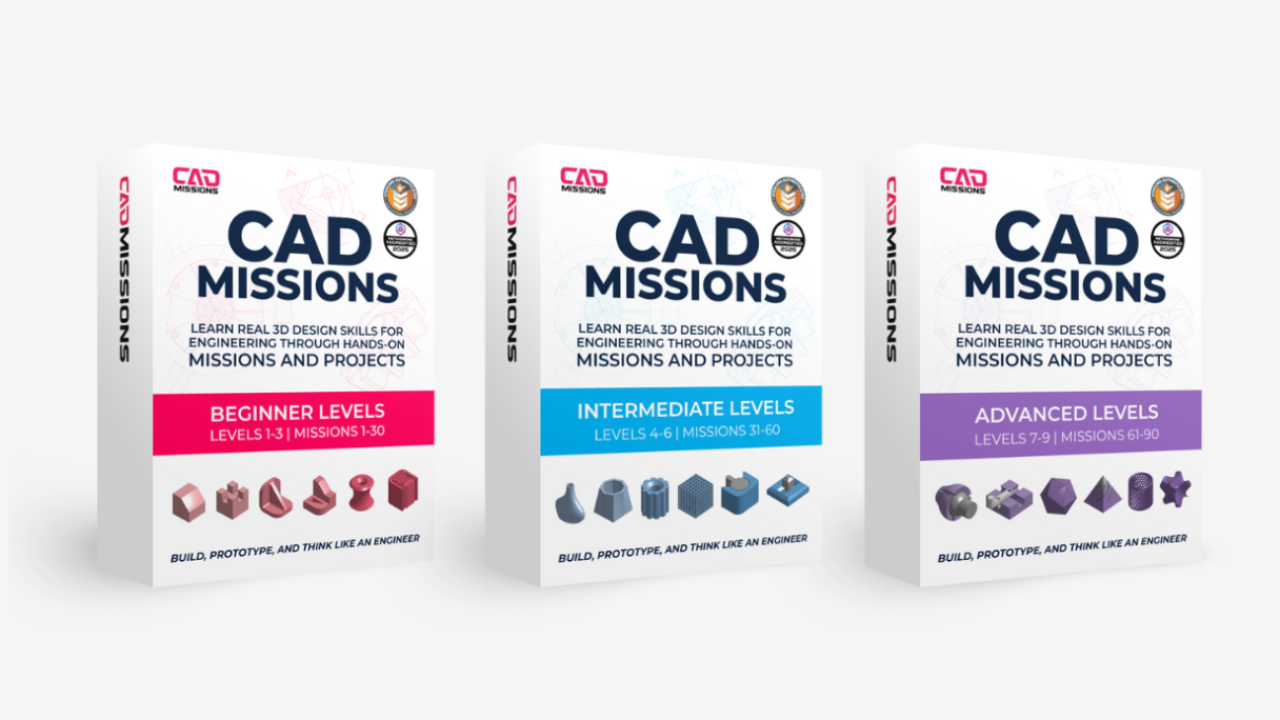
CAD Missions Full Curriculum
Includes 14-day satisfaction guarantee.
$599.00 USD
CAD Missions Preview
A short introduction and sample mission that lets you experience the CAD Missions learning system before choosing a path.
Free
Educator License
Mission-Based CAD Curriculum for Facilitated Learning
$399.00 USD every year
Last updated: Jan 2026